
Documentationv2.0Start Free
Documentation
Build AI instructions that work the first time— and every time after.
ParetoStudio turns prompts, agents, and skills into structured, reusable assets. You build them in the web app, then use them everywhere — in your browser via the Chrome Extension, or in your IDE via the MCP server.
Pick a path
Two ways to use ParetoStudio. Most people start with one and add the other later.
You prompt in the browser
Prompter
You use ChatGPT, Claude, or Gemini every day. Open the Chrome Extension and your structured prompts are one click away — inside the chat, no tab switching.
You build in the IDE
Builder
You live in Cursor, Claude Code, or Claude Desktop. Connect the MCP server once, then search, install, and create prompts, agents, and skills without leaving your editor.
Quick start — MCP in 3 minutes
Shortest path to using your library inside an IDE. For the browser path, see the Chrome Extension guide.
Create an API key
Open Settings → Developer and generate a key. Starts with psk_, shown once, stored hashed.
Configure your AI client
Paste the MCP config into Claude Desktop, Cursor, or Claude Code and restart. The config lives in one JSON file per client.
Talk to your AI
Ask "list my prompts" or "install my Backend Engineer agent" — your client picks the right MCP tool automatically.
Guides
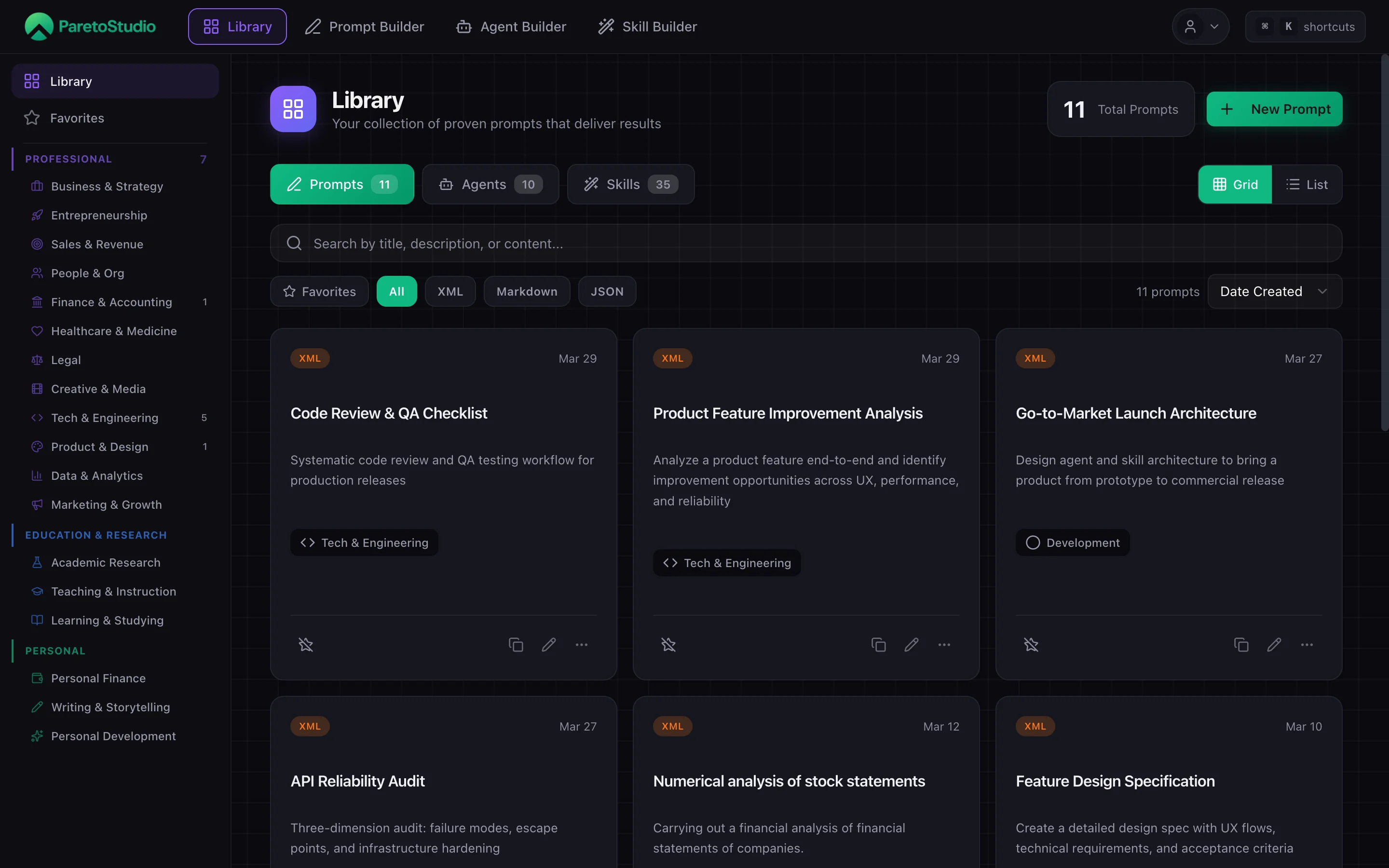
Library
ProductThe home for every prompt, agent, and skill you build. Search, filter, tag, and deploy from one place.
Prompt Builder
ProductSix guided steps with a live, step-aware preview and autosaved drafts that turn a blank textbox into a reusable asset.
Agent Builder
ProductFive steps for a persistent identity, with the same live preview, typography, highlighting, and autosave behavior as the other builders.
Skill Builder
ProductFour steps to package a reusable capability while the generated SKILL.md updates and highlights the active section in real time.
Chrome Extension
ProductYour library in the browser. One shortcut opens the searchable ParetoStudio popup from ChatGPT, Claude, Gemini, Grok, DeepSeek, or Perplexity.
Team
TeamShared library for your whole team. Invite members, pick roles, share items from personal to team, and let the MCP server surface team content automatically.
MCP Server
Developers21 tools that expose your library to any MCP-compatible client. Read, install, create, update, and delete — all in natural language.
API Keys
DevelopersCreate, rotate, and revoke the keys that authenticate the extension and the MCP server.
What you can ask
Once connected, talk to your AI client in plain English. It picks the right tool every time.
Browse
“List all my agents”
Search
“Search my prompts for code review”
Deploy
“Install my Backend Engineer agent into this project”
Create
“Save this as a skill called docs-writer”
Rate limits
API and MCP requests are capped per plan and reset every 24 hours. Free accounts get 50 requests/day. Pro and Team unlock 500/day with full write access.
| Plan | Daily API / MCP requests | Write tools (create / update / delete) |
|---|---|---|
| Free | 50 | Capped at 2 agents / 2 skills |
| ProRecommended | 500 | Yes — unlimited |
Need higher limits?
Upgrade from Settings. Pro unlocks 500 daily requests and full write access to agents and skills from your IDE — ideal for building inside Cursor or Claude Code. Annual billing (€99/yr) saves ~31% vs monthly.