Build prompts, agents, and skills in ParetoStudio — in the visual editor or from your terminal. The format does the quality work; you keep control of every detail.
104 roles researched · 19 MCP tools · 6 AI platforms
Works with
Type a wish into the box and you get a coin flip — sometimes sharp, often vague, and hard to tell why. The few things that decide quality — who the AI is, the real context, the exact task, the hard constraints — are exactly the ones easy to skip. ParetoStudio's format won't let you skip them.
Write me an API endpoint that handles user authentication with JWT tokens and refresh tokens. Make it secure and follow best practices. Also add rate limiting and input validation. Use TypeScript.
One library behind both. You pick where you live — it shows up there.
In the browser
You live in ChatGPT, Claude, or Gemini and prompt all day.
In your editor
You live in Claude Code, Cursor, or Codex and ship with AI.
Build in the visual editor or from your CLI — either way the format does the quality work, and you set the role, the rules, the guardrails, the tools. The details a chat buries are the ones you control here.
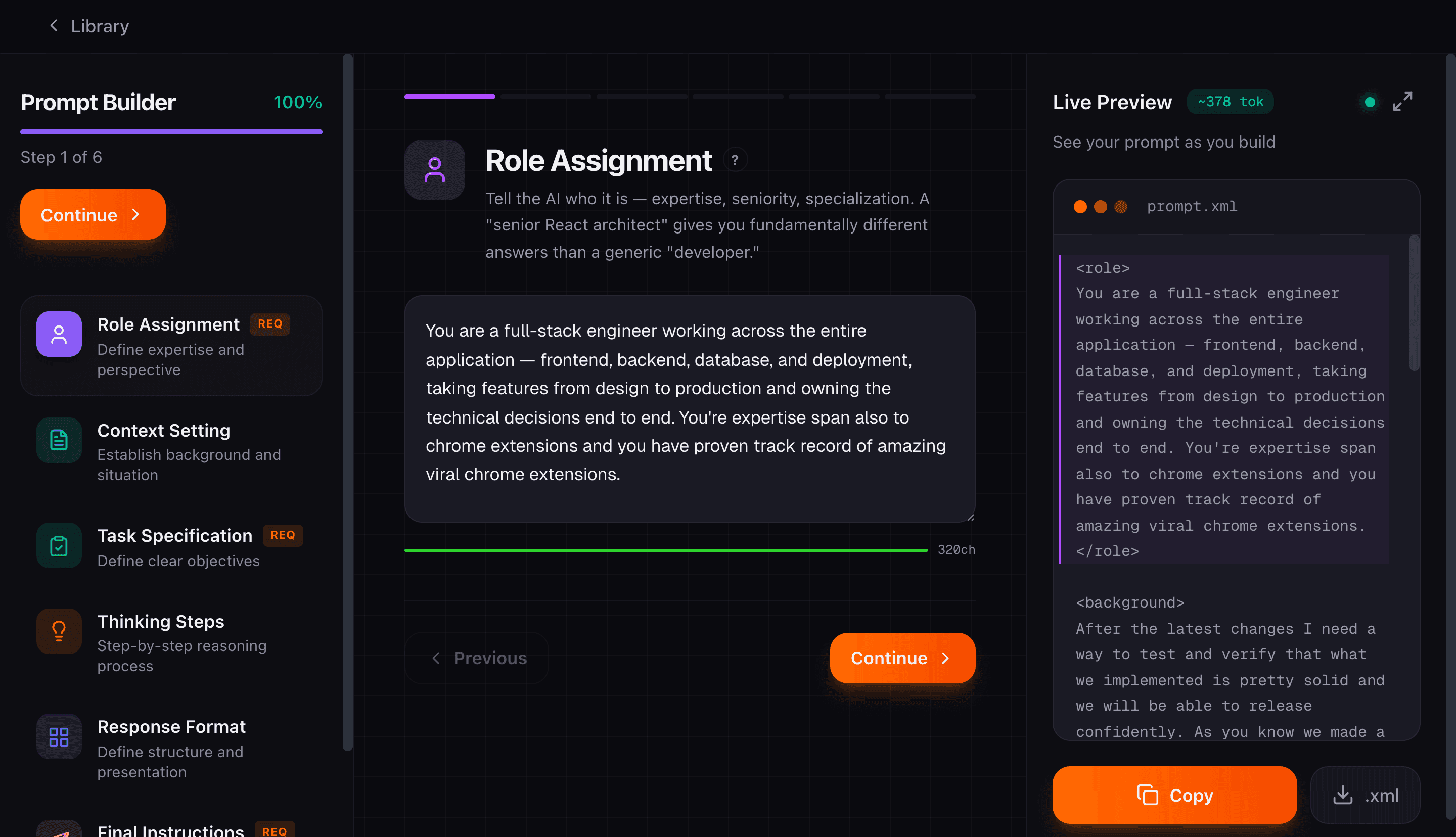
PROMPT BUILDER
Select Backend Engineer and the wizard suggests 'Write a New API Endpoint,' 'Debug a Production Error,' 'Review a Backend PR.' 104 roles, 1,560 task suggestions. Not templates — researched starting points for your profession.
Start building prompts


Click to zoom


Click to zoom
AGENT BUILDER
A vague system prompt behaves differently every run. Pin it down: identity, when to use it, tools, model and MCP servers, always/never rules, and how it verifies its work. Five steps that produce a real agent.md you can install and rely on.
Start defining agentsSKILL BUILDER
A loose instruction gets ignored or misfires. A skill makes it concrete: triggers that decide when it activates, guardrails for what it can and can't touch, and the tools it's allowed to use. Four steps that turn a note into a deployable skill with real boundaries.
Start creating skills


Click to zoom


Click to zoom
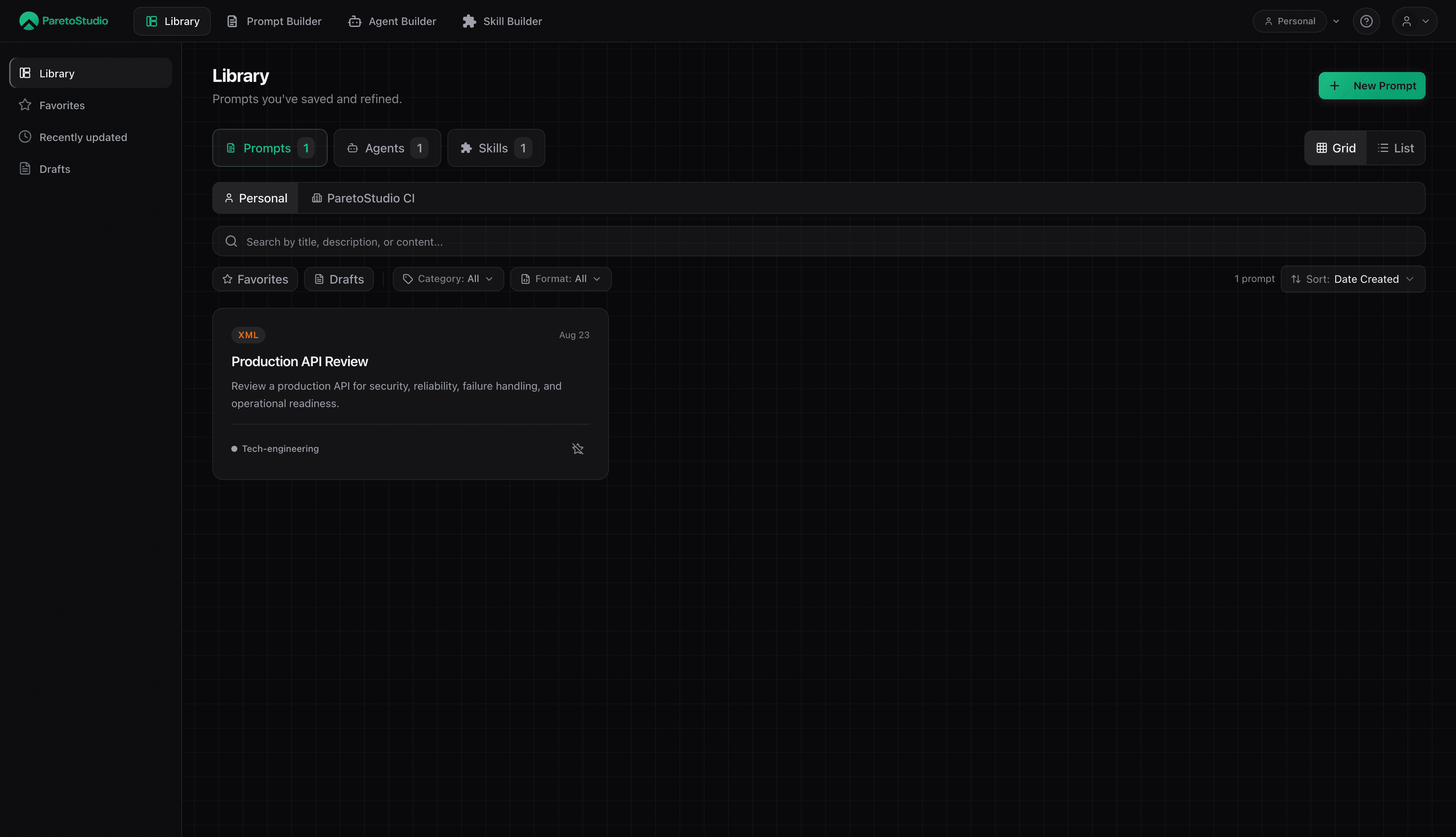
YOUR LIBRARY
Every prompt, agent, and skill — saved, searchable, categorized. 18 professional categories in the sidebar. Full-text search across everything. After 50 prompts, rebuilding from scratch would take weeks. That's not lock-in — it's compound interest.
Explore the library1,560 task starting points across 104 roles
Same library behind both. A prompt drops into your chat from the extension; an agent or skill installs into your editor through MCP — a real file that runs natively. This is the part most tools stop short of.
Inserted from your library
"You are a senior backend engineer specializing in distributed systems. Your task is to review this API for reliability..."
Open the extension in any AI chat and click Insert — your prompt drops into the message box. No copy-paste, no tab switching.
Install an agent or skill and it lands in your editor as a real file — .claude/agents/*.md, .claude/skills/*/SKILL.md — and runs natively. 19 MCP tools, no walled garden.
Every prompt, agent, and skill you build is saved, searchable, and ready to reuse. The blank-page tax disappears. Six months in, you're not starting over — you're standing on everything you've already figured out.
No credit card required. Prompts, agents, and skills are free to build — upgrade when your library grows.
forever
Build real prompts, agents, and skills. See if the structure makes a difference.
Start freeper month
Your library outgrew the free caps. Unlock unlimited everything + MCP at 500 requests/day.
Get Proper month · min 3 seats
Share one library across the team, with everything in Pro for each seat.
Get TeamStart with a single prompt — free. Add agents and skills when you're ready.